Tradovate REST vs WebSocket vs Webhooks vs MCP: Which to Use
Compare CrossTrade webhooks, REST, MCP, and the WebSocket for Tradovate. All four cloud paths are supported; the socket streams events and P&L but no market data.

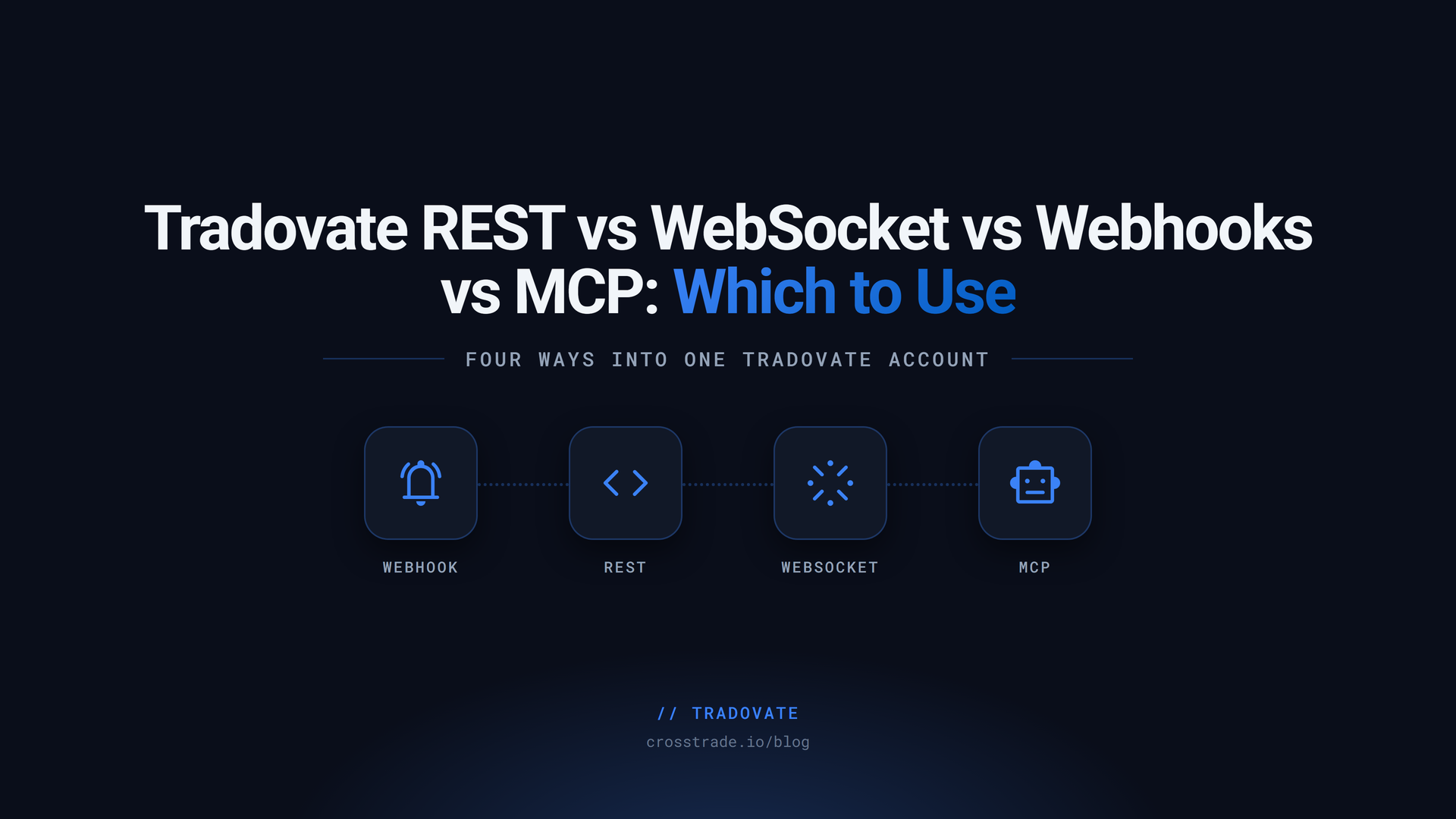
CrossTrade offers four public ways to automate a linked Tradovate account: TradingView webhooks, the Tradovate REST API, hosted MCP tools, and the WebSocket API. The WebSocket was NinjaTrader-only when Tradovate routing launched. It now serves both brokers on one connection: with "origin": "tradovate" it streams order, execution, and position events, account P&L, and accepts Tv_* RPC for your linked Tradovate accounts, with NinjaTrader closed.
New to automating Tradovate? Start with the Tradovate Automation Guide, which compares these routes in plain terms.
That distinction matters when you choose an architecture. A TradingView alert, an application request, an AI tool call, and a streaming client can all reach Tradovate through CrossTrade's cloud. The one thing the socket does not carry for Tradovate is market data.
This guide compares the four interfaces, explains where each one runs, and shows how their authentication, audit trails, controls, and rate limits differ.
The short answer
| Interface | Tradovate support | Best fit | Requires NT8 |
|---|---|---|---|
| TradingView webhook | Yes | Alert-driven order execution | No |
REST /v1/api/tv | Yes | Application request-response workflows | No |
MCP Tv_* tools | Yes | AI clients with scoped tools | No |
WebSocket /ws/stream | Yes: order, fill and position events, account P&L, and Tv_* RPC. No market data. | Event-driven dashboards and reconciliation | No |
The WebSocket serves two origins on the same endpoint. nt8 streams pass through the CrossTrade NT8 Add-On in a running NinjaTrader instance and include market data. tradovate streams come from your linked Tradovate accounts server-side, and CrossTrade does not use your Tradovate login's data entitlements, so market data is not part of them.
One linked account, four public paths
All four public Tradovate paths start with the same prerequisite: link a Tradovate Demo or Live identity under My Account > Brokers. After that, the interface determines how the instruction arrives and how you authenticate it.
1. TradingView webhooks
Use a webhook when TradingView owns the signal. The alert posts a CrossTrade command to your permanent webhook URL, and destination=tradovate; selects the cloud Tradovate route.
key=your-secret-key;
command=place;
account=DemoAccount;
instrument=ES1!;
action=buy;
qty=1;
order_type=market;
tif=day;
destination=tradovate;
This path is available on Standard, Pro, and Elite. It does not require NinjaTrader 8, the CrossTrade Add-On, or a VPS.
Webhooks are the only one of these Tradovate interfaces that create webhook Alert History rows. Each attempt records its resolved destination. A green Tradovate row means accepted by the broker, not necessarily filled or finally resting. CrossTrade can add a later warning if an ordinary placement is subsequently rejected.
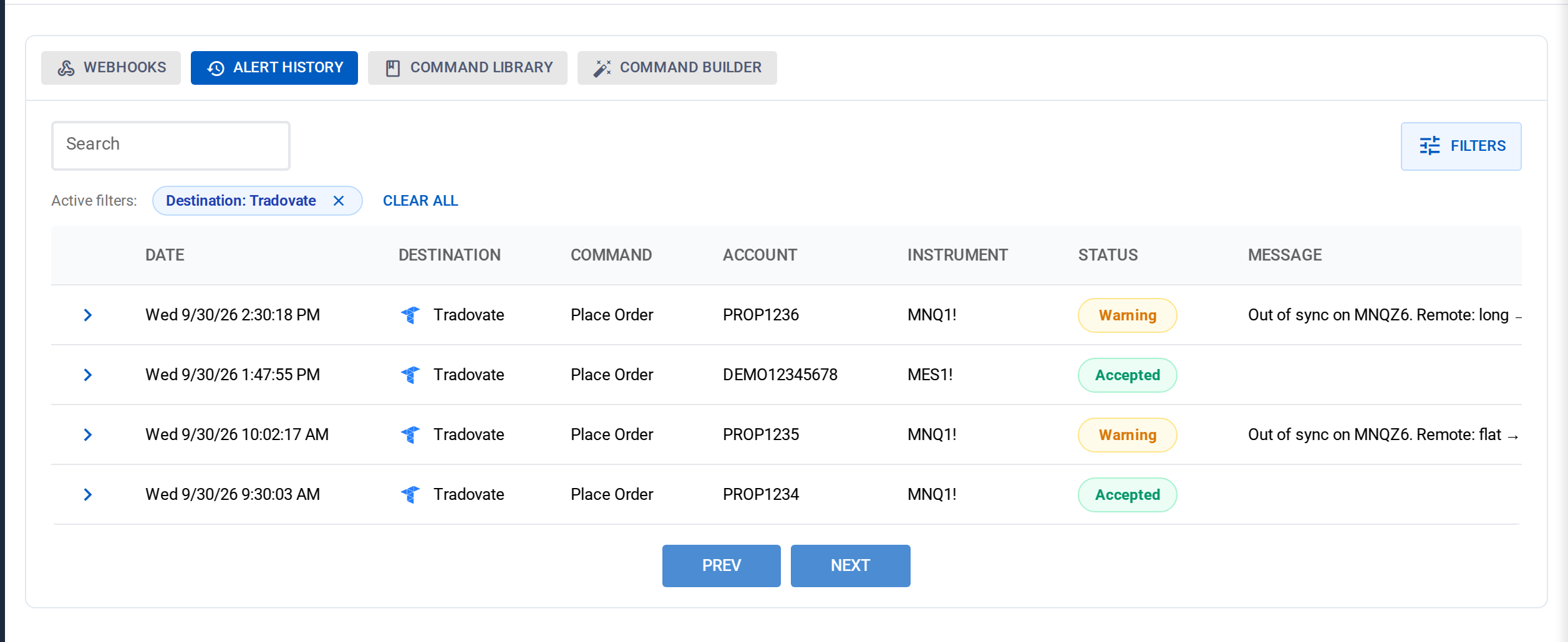
Every webhook leaves a row in Alert History
Webhook processing includes alert-specific controls such as secret validation, trade windows, news lockout where configured, webhook rate controls, per-account and instrument serialization, and Alert History. It also applies shared Tradovate controls such as Account Manager locks, position gates, Strategy Sync, and Trade Copier fan-out where applicable.
Choose webhooks when the event starts in TradingView and a human-readable alert audit trail is important.
2. Tradovate REST API
Use REST when your own application needs a deterministic request-response interface. Tradovate routes live under:
https://app.crosstrade.io/v1/api/tvREST uses the same CrossTrade bearer authentication as the broader API and requires API access on an eligible Pro or Elite plan. The linked Tradovate account is still the broker credential boundary. Your application does not send a Tradovate password to an order endpoint.
A simple account snapshot is a GET request:
GET /v1/api/tv/accounts/snapshot
Authorization: Bearer <token>
A market order is a POST request:
POST /v1/api/tv/accounts/DemoAccount/orders/place
Authorization: Bearer <token>
Content-Type: application/json

{
  "instrument": "MES1!",
  "action": "buy",
  "qty": 1,
  "orderType": "market"
}
The REST surface includes reads for link status, accounts, snapshots, positions, orders, order lifecycle, fills, balances, margin, contracts, exchanges, and Account Manager watermarks. It also supports placement, cancellation, change, cancel-and-replace, close, flatten, reverse, and bracket workflows.
REST mutations share CrossTrade's Tradovate validation, Account Manager locks, position gates, and configured copier fan-out. They do not inherit every webhook-only layer. Direct API calls do not use a webhook secret, do not create Alert History rows, and do not pass through the webhook news lockout or webhook request bucket.
REST also differs from webhook grammar in a few important ways. Direct REST take-profit and stop-loss values are absolute prices. Named Tradovate ATM templates are a webhook convenience; REST exposes the equivalent inline atm* fields.
Choose REST when you own the application logic, tests, retries, reconciliation, and operator interface.
3. Hosted MCP tools
Use MCP when an AI client needs structured access to the account. CrossTrade exposes Tradovate reads and writes as typed tools such as:
Tv_Status,Tv_ListAccounts, andTv_AccountSnapshotTv_GetPosition,Tv_ListOrders, andTv_GetOrderLifecycleTv_PlaceOrder,Tv_ChangeOrder, andTv_CancelReplaceTv_ClosePosition,Tv_Flatten, andTv_Reverse
The hosted MCP server uses Streamable HTTP at:
https://app.crosstrade.io/v1/api/mcpMCP requires CrossTrade Elite and uses its own OAuth consent and token flow. A normal REST bearer token is not the MCP credential. Read tools require mcp:read; trade tools require mcp:trade. CrossTrade filters the tool inventory by scope.
Underneath the tool call, Tradovate trade operations use the same cloud dispatcher and shared controls as REST. Direct MCP orders do not create Alert History rows. Use the returned order ID, Tv_GetOrder, and Tv_GetOrderLifecycle to verify broker state.
Choose MCP for interactive, human-supervised work with an AI client. Use read scope by default and require an exact account, environment, contract, side, quantity, and order summary before any write tool.
4. The WebSocket
Use the WebSocket when your own application needs to react to fills, order changes, and P&L as they happen rather than polling for them. The endpoint is:
wss://app.crosstrade.io/ws/streamIt authenticates with the same CrossTrade bearer token as REST and requires API access on your plan, checked at the handshake. For Tradovate, add "origin": "tradovate" to subscribe, unsubscribe, and streamPnl, and use Tv_-prefixed names with rpc. Omitting the origin means nt8, which is why existing NinjaTrader clients kept working when Tradovate was added. Without a linked Tradovate identity, the first Tradovate action returns tradovate_not_linked.
{"action": "subscribe", "origin": "tradovate", "events": ["orders", "executions", "positions"]}
{"action": "streamPnl", "origin": "tradovate", "enabled": true}
{"action": "rpc", "id": "tv-1", "api": "Tv_ListPositions", "args": {}}
What you receive on the Tradovate origin:
orderUpdate,executionUpdate, andpositionUpdateframes built from Tradovate's own Order, Fill, and Position entities. Each carries theenvironment(demo or live), the contract name, and whether the entity was created, updated, or deleted.executionReportUpdateframes where available. These are the broker's acknowledgement of each order command and the only real-time carrier of rejection reasons.pnlUpdateframes in the same shape as NT8. Realized P&L and cash value are read from Tradovate's account snapshot roughly every 8 to 10 seconds while you stream. Per-position unrealized P&L is computed by CrossTrade from its own live pricing.statusandresyncframes. After aresync, re-pull positions and orders withTv_ListPositionsandTv_ListOrdersrather than expecting replayed events.
Tradovate can emit an OrderVersion for a command it later rejects, so receiving one does not confirm a modification took effect. Reconcile command outcomes through execution reports or the order lifecycle.
What the socket does not do for Tradovate is stream market data. A subscribe with instruments on the Tradovate origin returns market_data_unavailable. Quote-dependent behavior such as relative bracket pricing is calculated server-side by CrossTrade and is not exposed as a feed. The full frame reference is in the WebSocket documentation.
Choose the WebSocket when a dashboard, reconciliation job, or event-driven bot needs to see broker state change the moment it changes. If all you need is an occasional read or a single order, REST is simpler.
When to stream and when to poll
The right surface depends on what you are watching.
Account and order dashboard
Subscribe to orders, executions, and positions on the Tradovate origin, then load current state once with Tv_ListOrders and Tv_ListPositions. Apply events by ID, because a row that arrives while the pull is in flight may appear in both. Received frames consume no polling budget. If you only need an occasional snapshot, GET /v1/api/tv/accounts/snapshot is still the simpler call; poll it at a sensible interval and back off when the dashboard is not visible.
Single-order reconciliation
Use the order endpoint and order lifecycle endpoint, or Tv_GetOrderLifecycle over the socket. The lifecycle response includes submitted commands and command reports, including broker rejection text. This is more useful than blind repeated placement when a result is uncertain.
Human and AI session
Use the MCP read tools for an on-demand snapshot. MCP is not a streaming transport, but it gives an agent structured account context without custom REST client code.
TradingView strategy event
Use a webhook. TradingView already owns the event, so maintaining a separate persistent socket would not improve the source signal.
Authentication is not interchangeable
| Surface | Authentication | Permission model |
|---|---|---|
| Webhook | Permanent webhook URL plus CrossTrade secret in the message | Subscription, account controls, command fields |
| REST | CrossTrade API bearer token | API plan entitlement and endpoint validation |
| MCP | MCP OAuth or MCP credential | mcp:read or mcp:trade |
| WebSocket | CrossTrade API bearer token | API plan entitlement; the NT8 RPC allowlist and a connected Add-On for nt8, a linked Tradovate identity for tradovate |
Do not put a REST token in a TradingView alert. Do not paste a webhook secret into an AI chat. Do not assume a completed Tradovate link grants MCP trade scope. Keep each credential attached to one intended interface.
Audit trails and verification
The word "success" has different operational meaning depending on the surface:
- Webhook: Inspect Alert History and then verify the order in Tradovate. Green means accepted, not filled.
- REST: Record the response, duration, account, instrument, and order ID in your application logs. Reconcile with the order lifecycle endpoint.
- MCP: Keep the client transcript and use Tradovate order tools to verify the result.
- WebSocket: Correlate asynchronous RPC responses by request ID, resubscribe after reconnecting, and on a Tradovate
resyncframe re-pull positions and orders instead of expecting replayed events.
CrossTrade deliberately avoids blindly resending an ambiguous Tradovate mutation. Your integration should do the same. Read broker state before deciding whether a retry is safe.
Rate limits and retries
Authenticated CrossTrade API traffic uses a smooth 3 requests-per-second refill with a burst allowance of 20, commonly described as 180 requests per minute. REST, MCP, and WebSocket RPC share the authenticated API budget for a user. Frames you receive over the socket do not consume it. Webhook submissions use separate controls.
Tradovate can also impose its own dynamic broker penalty window. CrossTrade reports that separately as broker_rate_limited. Do not claim or design around a fixed Tradovate requests-per-minute number. When either layer returns a rate-limit response, honor Retry-After and reduce request pressure.
Composite commands can require multiple broker calls, especially when they cancel orders, poll for settlement, add protection, or fan out through a copier. One user action is not always one downstream request.
GA and beta boundaries
Tradovate-native webhook routing, the /v1/api/tv REST surface, the API Playground, hosted Tv_* MCP tools, and the Tradovate origin on the WebSocket are generally available. Native orders, broker-hosted brackets, multibrackets, fixed stops, and triggerless continuous trailing are GA, and so are CrossTrade-managed target-fill breakeven and profit-triggered trail activation on Tradovate ATMs.
The Tradovate Copier's signal and execution modes are generally available. Order mode, which mirrors the leader's working orders, is in beta. Check the current documentation before building around an advanced managed feature.
Choose by the owner of the event
- If TradingView owns the signal, use a webhook.
- If your application owns the workflow, use REST.
- If a human working with an AI client owns the session, use MCP.
- If your application needs to react to fills and position changes as they happen, use the WebSocket with
"origin": "tradovate". For live quotes, the stream is NT8-only; bring your own market data on Tradovate.
Start with one interface. Link a Demo identity, make the smallest read or test order possible, and build reconciliation before adding concurrency or autonomous writes.
For endpoint details, use the Tradovate API reference. For AI clients, use the Tradovate MCP tools guide. For TradingView routing, use the destination compatibility matrix. The WebSocket documentation is the source of truth for both streaming origins.
CrossTrade is execution and automation software, not a broker, financial adviser, or trading strategy. Futures trading involves substantial risk. Test in simulation, supervise automated systems, and verify every order through the broker.