
TradingView Webhook JSON: How to Send JSON Alerts to Tradovate and NinjaTrader 8
CrossTrade now reads TradingView webhook alerts written as JSON. Same field names as the key=value format, strict rules, and one field that routes the order to Tradovate or NinjaTrader 8.

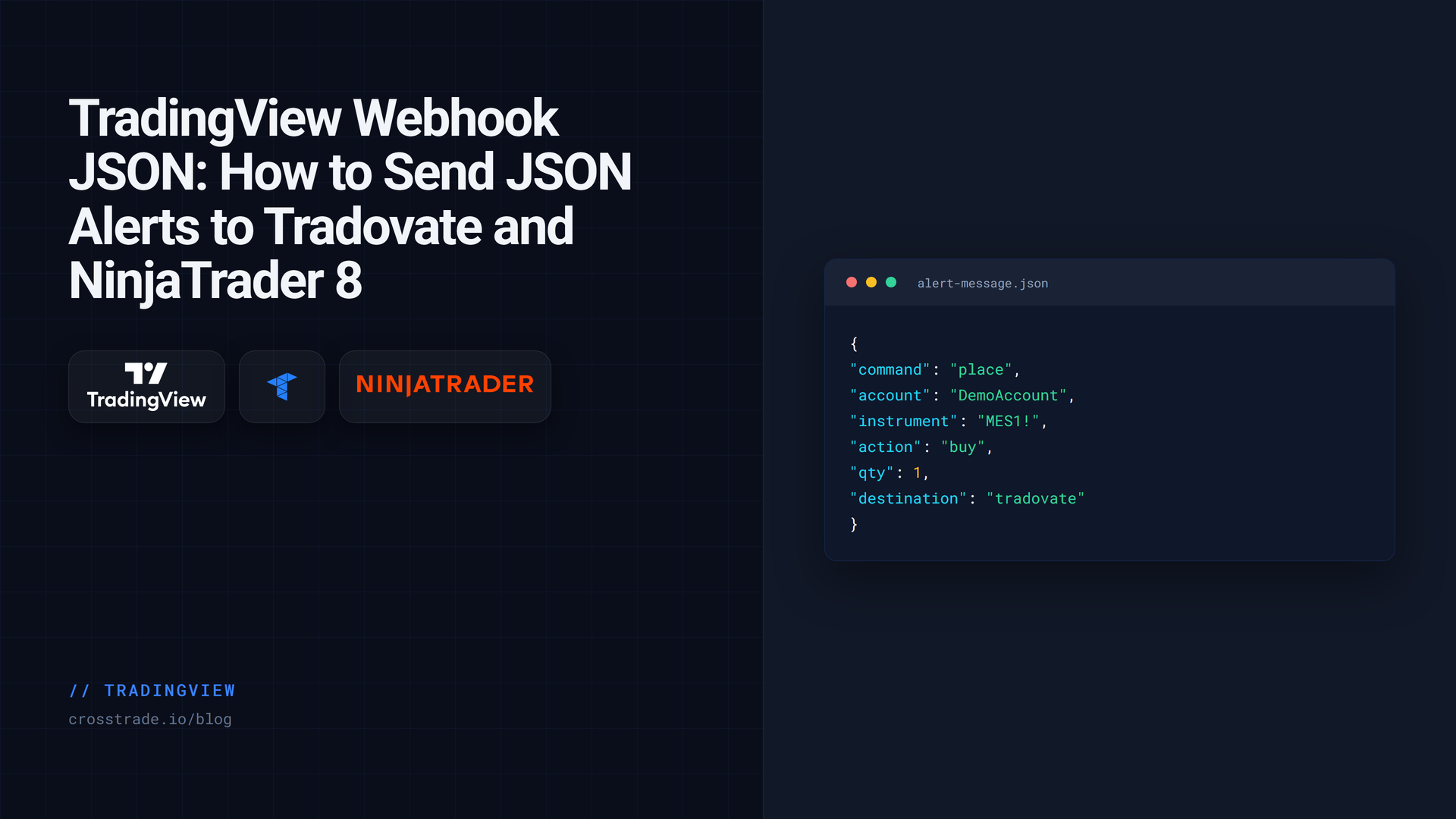
If you have automated a TradingView strategy with more than one tool, you have probably written an alert message as JSON at some point. It is the format most webhook services document, it is what a Pine Script alert_message builder tends to produce, and it is easier to read than a long string of semicolons once an order carries brackets and sync fields.
CrossTrade now accepts it. A webhook body that starts with { is read as JSON, using exactly the same field names as the original key=value; format. Nothing else changes: same webhook URL, same commands, same Alert History, same routing to Tradovate or NinjaTrader 8.
Neither format is preferred. Send whichever your alerting setup makes easier to produce. This guide covers the exact shape CrossTrade expects, the rules it enforces and why, and the mistakes that get a JSON alert rejected.
The same order, written both ways
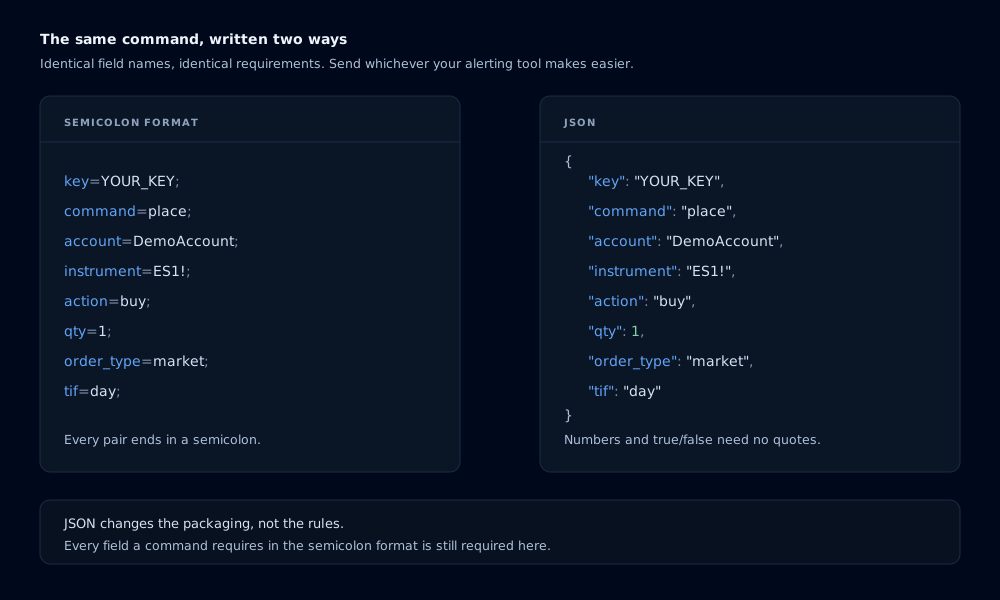
Here is a one-contract market buy in the semicolon format most CrossTrade users already know:
key=your-secret-key;command=place;account=DemoAccount;instrument=ES1!;action=buy;qty=1;order_type=market;tif=day;And here is the identical command as JSON:
{
  "key": "your-secret-key",
  "command": "place",
  "account": "DemoAccount",
  "instrument": "ES1!",
  "action": "buy",
  "qty": 1,
  "order_type": "market",
  "tif": "day"
}
Both are parsed into the same command. Every downstream behavior, from multi-account placement to Alert History diagnostics, is identical. You do not set a flag, add a header, or change your webhook URL. CrossTrade looks at the first character of the message: { means JSON, anything else means the semicolon format.
The rules, and why they are strict
A JSON order has to be unambiguous, because guessing wrong on an order is worse than refusing it. So the parser is deliberately narrow.
One flat object. A single JSON object with no nested objects and no arrays. A top-level array is rejected. There is no field where nesting carries meaning, so nesting is refused rather than flattened by guesswork.
CrossTrade field names. The keys are the same names you use in the semicolon format, and they are not case-sensitive: "key", "Key" and "KEY" all work. quantity is accepted as an alias for qty. Everything else in the webhook command reference applies unchanged.
Strings, numbers, or booleans. "qty": 1 and "flatten_first": true do not need quotes, though quoting them is fine. A whole-number float like 1.0 is read as 1. null, arrays and nested objects are refused rather than silently ignored.
No duplicate fields. That includes duplicates that differ only by case, and ones that collide through an alias. {"qty": 1, "QTY": 2} and {"qty": 1, "quantity": 2} are both rejected, because neither value has an obvious claim to win.
No semicolons or equal signs inside a value. Those characters delimit the original format, which some internal paths still use, so a value containing one is refused before it can corrupt a command further down the line.
No empty values. {"account": ""} is an error, not a way to clear a field.
One more thing JSON does not change: required fields are still required. A place needs account, instrument, action, qty and order_type on both destinations, plus tif on NinjaTrader 8. Leave one out and you get the same PLACE is missing required field(s) error the semicolon form would give you. JSON changes the packaging, not the rules.
Routing it to Tradovate
The field that decides where an order goes is destination. Leave it out and the alert routes to NinjaTrader 8 through the CrossTrade NT8 Add-On. Add "destination": "tradovate" and CrossTrade places it on your linked Tradovate account through Tradovate's API, from the cloud, with nothing running on your computer.
{
  "key": "your-secret-key",
  "command": "place",
  "account": "DEMO12345678",
  "instrument": "MES1!",
  "action": "sell",
  "qty": 1,
  "order_type": "market",
  "destination": "tradovate"
}
On Tradovate, tif is optional on entries, and continuous symbols like MES1! resolve to the front contract. The destinations matrix lists which fields apply to each platform, and the no-VPS Tradovate guide walks through linking an account from scratch.
Brackets, multi-account orders and closes
Everything the semicolon format can express, JSON can express with the same names. A limit entry with a take profit and stop loss looks like this:
{
  "key": "your-secret-key",
  "command": "place",
  "account": "DemoAccount",
  "instrument": "NQ1!",
  "action": "buy",
  "qty": 2,
  "order_type": "limit",
  "limit_price": "21500",
  "take_profit": "50 ticks",
  "stop_loss": "25 ticks",
  "tif": "gtc"
}
Multi-account placement works the same way it always has. "account": "DemoAccount,LiveAccount1" places on both, exactly as account=DemoAccount,LiveAccount1; does. Closing a position is just a different command:
{
  "key": "your-secret-key",
  "command": "closeposition",
  "account": "DemoAccount",
  "instrument": "ES1!"
}
Using TradingView placeholders inside JSON
TradingView's placeholders work inside JSON string values the same way they do in plain text. This is the pattern for keeping a TradingView strategy and your account in sync:
{
  "key": "your-secret-key",
  "command": "place",
  "account": "DemoAccount",
  "instrument": "{{ticker}}",
  "action": "{{strategy.order.action}}",
  "qty": "{{strategy.order.contracts}}",
  "order_type": "market",
  "tif": "day",
  "market_position": "{{strategy.market_position}}",
  "prev_market_position": "{{strategy.prev_market_position}}",
  "sync_strategy": "true"
}
Notice that every placeholder sits inside quotes, including the quantity. That is the safe habit. TradingView substitutes placeholders as raw text before it sends anything, so an unquoted placeholder that resolves to something unexpected produces invalid JSON, and invalid JSON is rejected rather than repaired.
When a JSON alert fails, do not debug the message you wrote. Open Alert History and read the body CrossTrade actually received. That is the text after TradingView filled in the placeholders, and it is almost always where the problem is visible.
Coming from another platform's JSON
CrossTrade reads CrossTrade field names. It is not a universal translator, and an alert built for another automation service will be rejected instead of guessed at. That is on purpose: a parser that quietly maps someone else's "sentiment" or "orderType" field onto an order is a parser that will one day map it wrong.
To carry an existing alert over, open the Command Builder in your dashboard and use the converter at the top of the page. Paste the JSON you send today and it returns the CrossTrade equivalent. Anything it cannot carry across, such as percentage-based trailing or profit-and-loss-based exits, is named explicitly rather than dropped.
Errors you might see
Every rejection lands in Alert History with a reason. These are the JSON-specific ones:
| Message | What it means |
|---|---|
Invalid JSON command or duplicate field. Send one flat CrossTrade object. | The body is not valid JSON, or a field appears twice. |
JSON command must be one non-empty object. | You sent an array, an empty object, or a bare value. |
Unsupported JSON command field. | A field name CrossTrade does not recognize, often one from another platform. |
<field> must be a string, number, or boolean; null, arrays, and nested objects are not supported. | A value has a type with no meaning here. |
<field> field is empty or has no value | The value is empty or only whitespace. |
<field> cannot contain semicolons, equal signs, or control characters. | A value contains a reserved delimiter. |
The full reference, with every rule and example, is on the JSON Webhook Format docs page.
Frequently asked questions
Do I have to switch to JSON?
No. The semicolon format is not deprecated and both are parsed into the same command. Use JSON if your tools already produce it or if you find it easier to read.
Do I need a different webhook URL for JSON alerts?
No. Use the same permanent CrossTrade webhook URL. CrossTrade detects the format from the first character of the message.
Does JSON work for both Tradovate and NinjaTrader 8?
Yes. The destination field routes it the same way it routes a semicolon alert: omitted means NinjaTrader 8, "tradovate" means your linked Tradovate account.
Can I paste JSON from another automation service?
Not directly. CrossTrade only accepts its own field names. Use the converter at the top of the Command Builder to translate an existing alert, and review anything it flags as not carried over.
Why was my JSON alert rejected when it looks valid?
Check the body in Alert History, not the one in TradingView. A placeholder that resolved to an empty value, a stray quote, or a missing required field shows up there. Also check for duplicate keys that differ only by case.
Start with one test alert
Write the JSON, point it at a Sim or Demo account, fire one alert, and confirm three things: the Alert History row, the order at the broker, and the fill. Then expand. If you are new to CrossTrade, start a free 7-day trial and send your first alert in a few minutes, and come ask questions in the CrossTrade Discord.
CrossTrade is execution and automation software, not a broker, financial adviser, or trading strategy. Futures trading involves substantial risk. Test every automated workflow in simulation and verify orders at your broker.