
Time-Based Alerts using PineScript on TradingView
Go flat in an instant with a TradingView webhook and this a simple Time-based Alert Indicator.


At CrossTrade we're constantly implementing good ideas from our users and when we were asked the following:
Is there a way to have the programs close all positions at a specified cut off time? I see that it has the ability to stop new trades and close on the next reversal but curious if I set it to close all at 3:30 pm if it has that ability? Prop firms have cut off times so don’t want it to go past the time if a reversal signal doesn’t come out
There was an obvious solution. Introducing the Time-based Alert Indicator...


Primary Functionality
This is a simple utility indicator is designed to trigger alerts at a specific time each day. The user can configure the alert at the End Of Day time they elect to tell NinjaTrader its time to go flat.
User-Defined Alert Time:
Users can specify the exact hour and minute when they want the alert to trigger. The inputs i_hour and i_minute allow the user to set these values, with hour options ranging from 0 to 23 and minute options from 0 to 59.
Time Zone Selection:
The script offers a choice between Eastern Time (New York) and Central Time (Chicago) through the use_central_time boolean input. Depending on the selected time zone, the script adjusts the time accordingly to ensure the alert triggers at the correct time.
Alert Trigger Mechanism:
The script checks the current time against the user-defined alert time. If the current hour and minute match the specified values, an alert condition is activated (alert_condition).
Visual Feedback:
For debugging and verification purposes, the script displays the current time on the chart using a label. This label updates in real-time to show the current hour and minute based on the selected time zone.
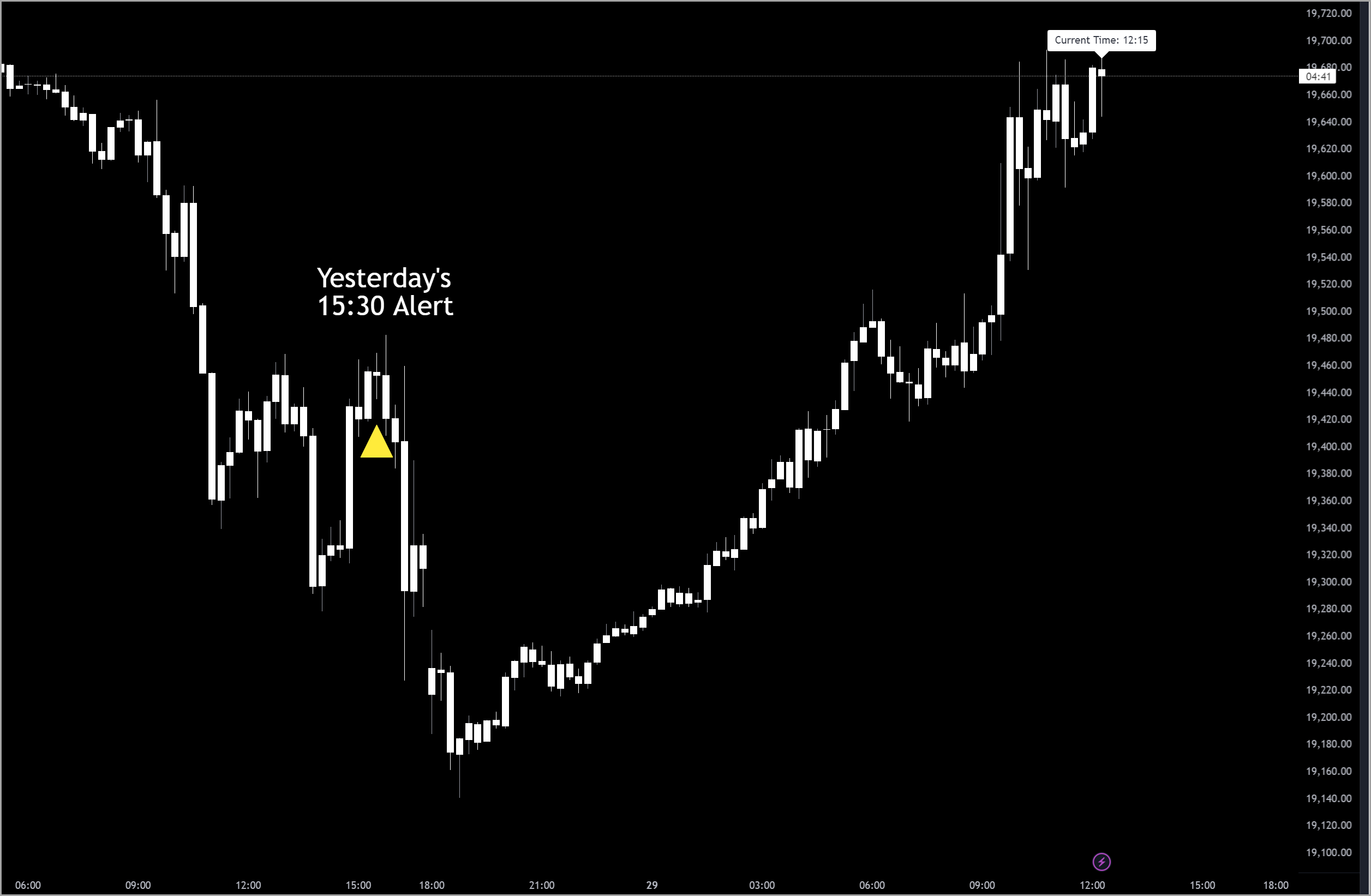
Additionally, when the alert condition is met, a yellow triangle shape is plotted below the bar where the alert is triggered, providing a visual cue on the chart.
Alert Notification:
When the alert condition is met, the script can trigger an alert through TradingView's alert system. The alert sends a message ("Time-based alert triggered!") to notify you that the specified time has been reached.
Set the alert message to your CrossTrade flatten command and every account goes flat at your cutoff time automatically:
key=your-secret-key;
command=flatteneverything;