
Submit Orders to Multiple NinjaTrader Accounts with Multi-Account Placement
Send a single TradingView webhook alert to 5, 10, or 20 NinjaTrader accounts at once using CrossTrade's multi-account placement. No trade copier required.

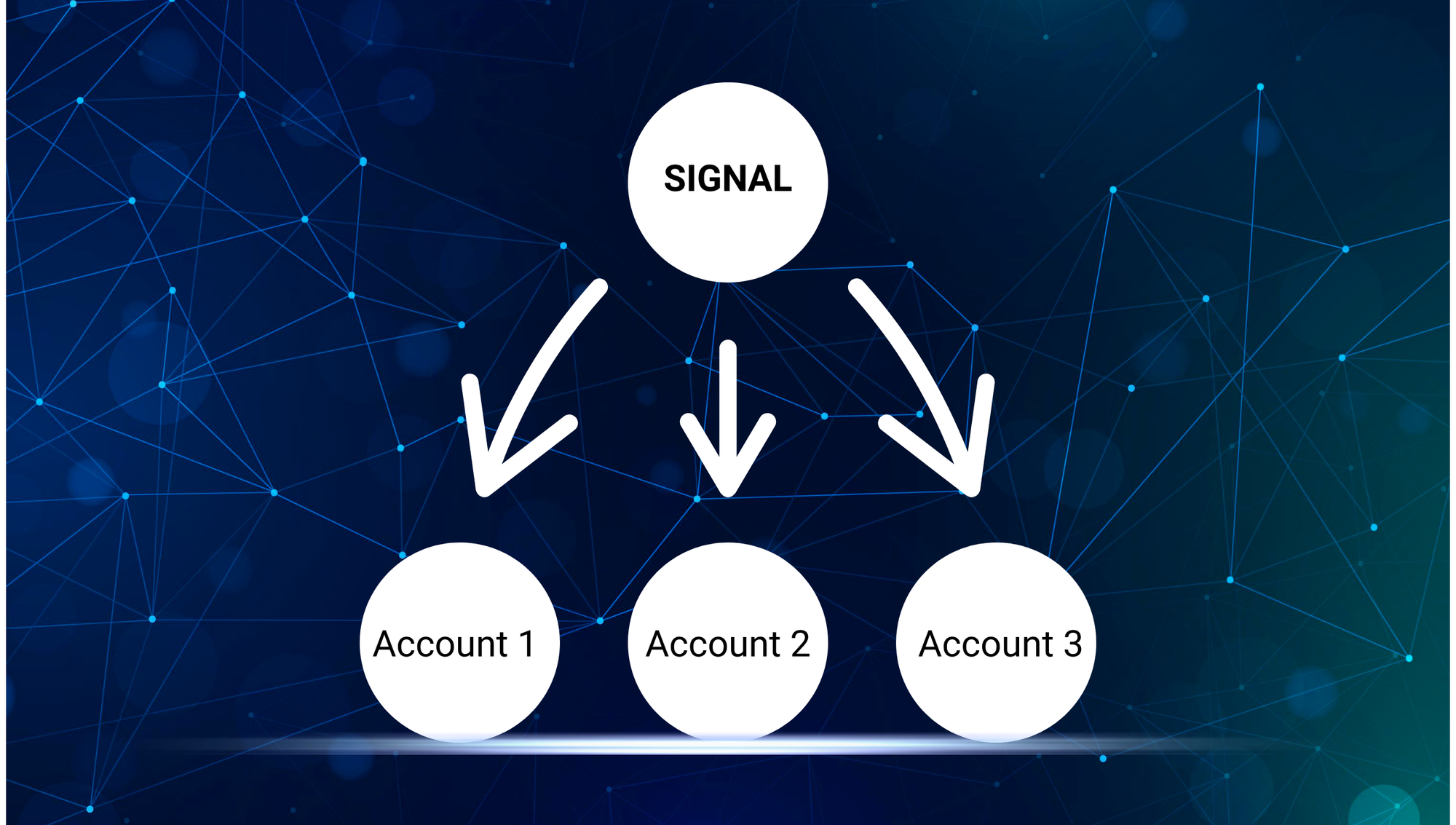
If you're running multiple NinjaTrader accounts — prop firm evaluations, funded accounts, or a mix of both — you need a way to get the same trade on all of them without manually entering orders on each one. Most traders assume the answer is a trade copier. CrossTrade has one of those, and it's the most capable copier available for NinjaTrader 8. But CrossTrade also offers something no other platform does: multi-account placement.
Multi-account placement takes a single inbound webhook and generates an identical order for every account you specify. One alert, one payload, simultaneous delivery to all accounts. There's no leader account, no follower accounts, no replication delay. Every account receives the instruction directly from CrossTrade at the same time. This is a fundamentally different approach to multi-account trading, and it's only available through CrossTrade.
How It Works
Add multiple account names to the account field, separated by commas. CrossTrade splits the single webhook into separate order instructions — one per account — and delivers them all through the XT Add-On to NinjaTrader's ATI.
key=your-secret-key;
command=place;
account=sim101,Eval-ABC123,Funded-XYZ789;
action=buy;
instrument=ES1!;
qty=1;
order_type=market;
tif=day;
That payload places a market buy for 1 ES contract on three accounts simultaneously. There's no limit to the number of accounts you can include. Five accounts, ten accounts, twenty — same syntax, same single alert.
Every account receives the same order parameters: same instrument, same action, same quantity, same order type.

Two Approaches to Multi-Account Trading
CrossTrade gives you two architecturally different ways to execute across multiple accounts. Understanding the difference helps you pick the right tool — or use both together.
Multi-Account Placement: One Signal, Every Account
With multi-account placement, the order originates from a single source — a TradingView alert, an API call, or a command sent from the Webhook Trader. CrossTrade's servers receive that one webhook, split it into separate instructions (one per account), and deliver all of them to the XT Add-On in the same cycle. Every account receives the order at effectively the same moment.
There's no leader. There's no follower. There's no account that goes first while the others wait. The signal doesn't have to execute on one account and then get detected, copied, and replicated to the others. It's a broadcast, not a relay.
This matters because traditional trade copiers introduce a structural dependency: the leader must fill first, the copier must detect that fill, and then the copier submits orders to followers. Each step adds latency. Each step is a potential failure point. Multi-account placement eliminates all of that by removing the leader/follower chain entirely.
The tradeoff is that every account gets identical parameters. Same instrument, same quantity, same brackets. If all your accounts are the same size and trade the same contracts, this is the simplest and fastest path.
Trade Copier: Leader-Follower with Per-Account Control
CrossTrade's Trade Copier is a different tool for a different problem. It watches a designated leader account inside NinjaTrader and replicates that account's actions to one or more follower accounts. The copier runs locally inside NinjaTrader through the XT Add-On, so replication latency is measured in milliseconds.
Where the copier shines is flexibility per account. It supports ratio-based quantity scaling, so a leader trading 2 contracts on a $100K account can copy at 0.5x to a $50K follower. It supports cross-instrument mapping — leader trades ES, follower trades MES. Fills-only mode waits for confirmed fills before replicating, preventing ghost orders. And copier groups let you run multiple independent leader/follower configurations simultaneously.
The copier is also the right tool when you're trading discretionally. If you're placing manual trades on your leader account from the NinjaTrader DOM or chart trader, the copier mirrors those actions to your followers in real time. Multi-account placement only works with webhook-driven signals — it can't detect manual trades.
When to Use Which
Use multi-account placement when you're automating a TradingView strategy across identically-sized accounts and want the simplest, fastest setup. One alert handles everything.
Use the trade copier when your accounts have different sizes or instruments, when you're trading manually on a leader, or when you need per-account quantity control.
Use both together when you have a mix — a group of same-sized evaluation accounts getting the webhook blast, plus a separate funded account with different sizing that copies from one of those accounts via the copier.
No other platform on the market offers both approaches. Replikanto, Copilink, and Affordable Indicators are copier-only tools. They can replicate from a leader to followers, but they can't broadcast a single external signal to every account simultaneously without a leader in the middle. That's a capability unique to CrossTrade.
Setting It Up with a TradingView Strategy
If you're automating a TradingView strategy, the multi-account syntax goes right inside your alert_message in Pine Script. Here's a basic example for a strategy that sends entries and exits:
key=your-secret-key;
command=place;
account=Eval-001,Eval-002,Eval-003,Funded-001;
instrument={{ticker}};
action={{strategy.order.action}};
qty=1;
order_type=market;
tif=day;
flatten_first=true;
strategy_tag=MyStrategy;
The {{ticker}} and {{strategy.order.action}} are TradingView dynamic variables that get replaced with the actual instrument and order direction when the alert fires. Combined with flatten_first=true, this handles both entries and reversals cleanly across all four accounts. The strategy_tag ensures this automation's positions are isolated from any other strategies running on the same accounts.
For a full walkthrough of strategy automation, see How to Automate TradingView Strategies with CrossTrade.
Common Questions
Do all accounts need to be connected to NinjaTrader at the same time? Yes. Multi-account placement sends orders through NinjaTrader's ATI, which requires each account to have an active connection. If an account is disconnected when the alert fires, that account's order will fail while the others succeed.
Can I mix live and sim accounts in the same alert? Yes. Account type doesn't matter. You can include sim accounts, evaluation accounts, funded accounts, and live brokerage accounts in the same comma-separated list.
What happens if one account is flat and another has an open position? Each account is processed independently. If you're using flatten_first=true, accounts with open positions will be flattened before the new order. Accounts that are already flat will simply receive the new order. There's no cross-account dependency.
Is there a per-account fee or limit? No. CrossTrade charges a flat monthly rate. You can send to unlimited accounts with unlimited alerts on any plan.
What about account names with spaces or special characters? Account names must match exactly what NinjaTrader shows in the Accounts tab, including case. If your account name contains spaces (some prop firms use them), include the name exactly as it appears. Separate accounts with commas only — no spaces after the comma.
Can I use multi-account placement with bracket orders or ATM strategies? Yes. Every enhancement that works with a standard PLACE command works with multi-account placement. Add take_profit, stop_loss, or atm_strategy to the payload and each account receives the same bracket configuration. See the Complete Guide to NinjaTrader Commands for the full list of compatible parameters.
Want to test it? Start a free 7-day trial, connect two sim accounts to NinjaTrader, and send a multi-account alert from the Webhook Trader on the Webhooks tab. You'll see both orders fill simultaneously. Or build the command step by step with the Automation Wizard — no syntax memorization required.