How to Build an AI Trading Agent for NinjaTrader with the CrossTrade API
Build a real AI trading agent that autonomously calls CrossTrade API tools to check positions, stream quotes, place orders, and manage risk on NinjaTrader 8.

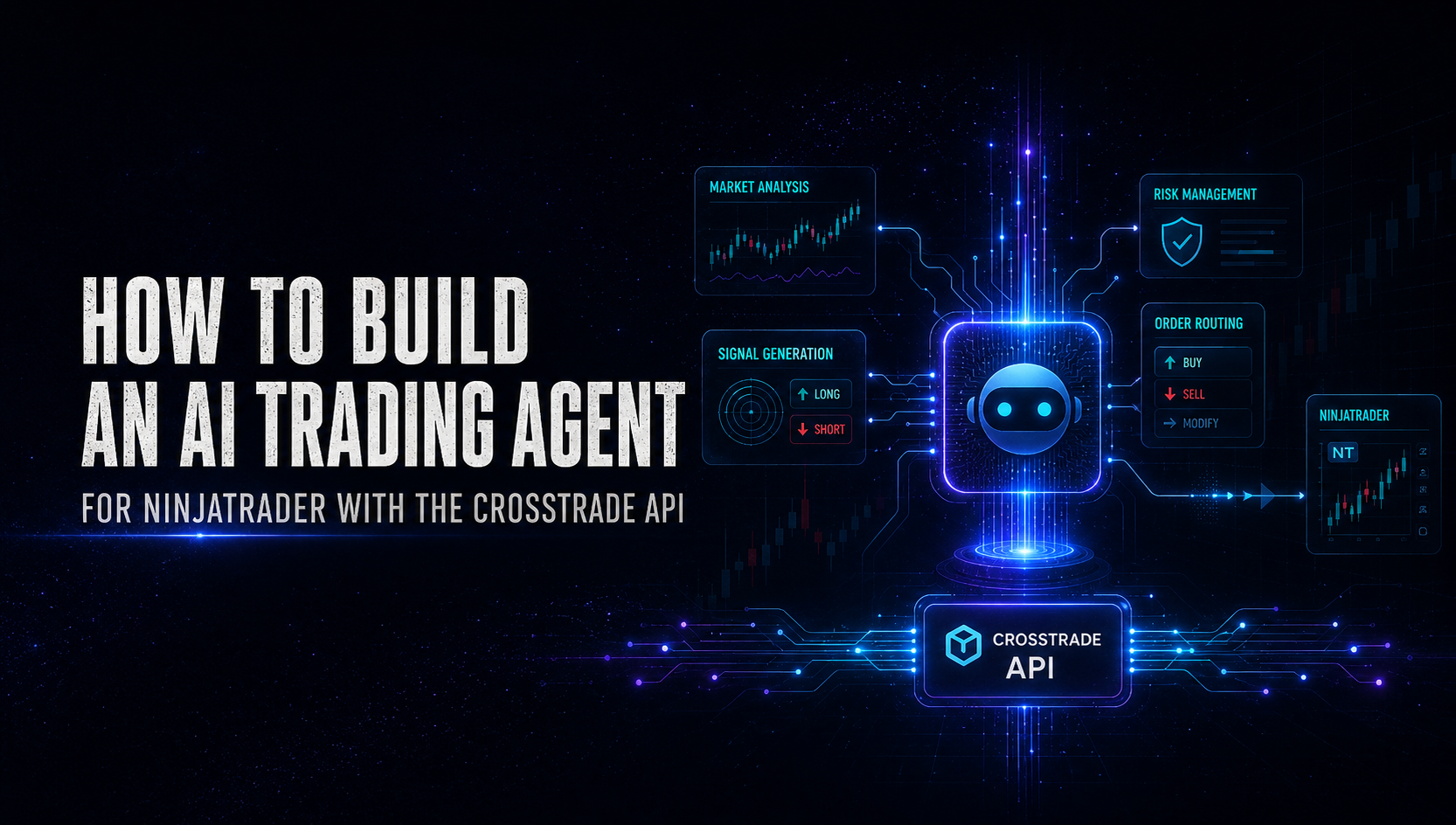
There's an important distinction between using an LLM to generate trading signals and building an actual AI agent that trades. A signal generator receives data on a timer, outputs buy/sell/hold, and forgets everything. The Python script controls the loop, manages state, and decides when to call the model. The LLM is a consultant on retainer. It answers when asked and has no initiative of its own.
An agent is different. You give the LLM a set of tools — check positions, get quotes, place orders, pull historical bars, flatten positions — and a goal. The model decides which tools to call, in what order, based on what it learns from each result. It drives the control flow. If it checks a position and sees unrealized losses, it might pull recent bars to assess whether conditions are worsening before deciding to exit. If it gets a quote and sees a sharp move, it might check whether it has an open position before acting. The reasoning happens across multiple steps, and each step informs the next.
This tutorial builds that architecture using Claude's tool-use API and the CrossTrade REST API. By the end, you'll have an agent that autonomously manages an ES futures position on NinjaTrader 8 — querying your account, analyzing market conditions, making multi-step decisions, and executing trades, all through tool calls that the model initiates on its own.
Prerequisites
You need the same foundation as the previous tutorials: NinjaTrader 8 running with the CrossTrade add-on connected, a Bearer token from My Account, and Python 3.10+. You also need an Anthropic API key with access to Claude's tool-use capabilities.
pip install anthropic requests
If you haven't worked with the CrossTrade API before, start with How to Build a Python Trading Bot for NinjaTrader 8 for the fundamentals.
Defining the Tools
The core of tool-use is defining what the agent can do. Each tool is a structured description of a CrossTrade API endpoint — its name, what it does, and what parameters it accepts. Claude reads these definitions and decides which tools to invoke based on the situation.
Here's the tool set:
TOOLS = [
    {
        "name": "get_quote",
        "description": (
            "Get the current bid, ask, and last price for a futures instrument. "
            "Use this to check the current market price before making trading decisions."
        ),
        "input_schema": {
            "type": "object",
            "properties": {
                "instrument": {
                    "type": "string",
                    "description": "NinjaTrader instrument name, e.g. 'ES 09-26'"
                }
            },
            "required": ["instrument"]
        }
    },
    {
        "name": "get_position",
        "description": (
            "Get the current open position for an instrument on a specific account. "
            "Returns direction (Long/Short/Flat), quantity, average entry price, "
            "and unrealized P&L. Use this to check what you're currently holding "
            "before placing or modifying orders."
        ),
        "input_schema": {
            "type": "object",
            "properties": {
                "account": {
                    "type": "string",
                    "description": "Account name, e.g. 'Sim101'"
                },
                "instrument": {
                    "type": "string",
                    "description": "NinjaTrader instrument name"
                }
            },
            "required": ["account", "instrument"]
        }
    },
    {
        "name": "get_account_summary",
        "description": (
            "Get account summary including realized P&L, unrealized P&L, "
            "and total net P&L for the session. Use this to check daily "
            "performance and enforce risk limits."
        ),
        "input_schema": {
            "type": "object",
            "properties": {
                "account": {
                    "type": "string",
                    "description": "Account name"
                }
            },
            "required": ["account"]
        }
    },
    {
        "name": "get_historical_bars",
        "description": (
            "Pull historical OHLCV bars from NinjaTrader's data feed. "
            "Use this to analyze recent price action, calculate support/resistance, "
            "or assess trend direction before entering a trade."
        ),
        "input_schema": {
            "type": "object",
            "properties": {
                "instrument": {
                    "type": "string",
                    "description": "NinjaTrader instrument name"
                },
                "period_type": {
                    "type": "string",
                    "enum": ["minute", "day", "week", "month", "year"],
                    "description": "Bar period type (lowercase)"
                },
                "period": {
                    "type": "integer",
                    "description": "Bar period value, e.g. 5 for 5-minute bars"
                },
                "days_back": {
                    "type": "integer",
                    "description": "Number of days of history to load (default 1)"
                },
                "limit": {
                    "type": "integer",
                    "description": "Maximum number of bars to return (max 100)"
                }
            },
            "required": ["instrument", "period_type", "period"]
        }
    },
    {
        "name": "place_order",
        "description": (
            "Place an order on NinjaTrader. Supports MARKET, LIMIT, STOPMARKET, "
            "and STOPLIMIT order types. Use MARKET orders for immediate execution. "
            "Use LIMIT orders to enter at a specific price. Always check your "
            "current position before placing orders to avoid unintended exposure."
        ),
        "input_schema": {
            "type": "object",
            "properties": {
                "account": {
                    "type": "string",
                    "description": "Account name"
                },
                "instrument": {
                    "type": "string",
                    "description": "NinjaTrader instrument name"
                },
                "action": {
                    "type": "string",
                    "enum": ["BUY", "SELL"],
                    "description": "Order direction (uppercase)"
                },
                "order_type": {
                    "type": "string",
                    "enum": ["MARKET", "LIMIT", "STOPMARKET", "STOPLIMIT"],
                    "description": "Order type (uppercase)"
                },
                "quantity": {
                    "type": "integer",
                    "description": "Number of contracts (max 1 for this agent)"
                },
                "limit_price": {
                    "type": "number",
                    "description": "Limit price (required for LIMIT and STOPLIMIT orders)"
                },
                "stop_price": {
                    "type": "number",
                    "description": "Stop price (required for STOPMARKET and STOPLIMIT orders)"
                }
            },
            "required": ["account", "instrument", "action", "order_type", "quantity"]
        }
    },
    {
        "name": "close_position",
        "description": (
            "Close an open position by flattening it at market. This cancels "
            "all pending orders on the instrument and closes the position. "
            "Use this to exit a trade entirely."
        ),
        "input_schema": {
            "type": "object",
            "properties": {
                "account": {
                    "type": "string",
                    "description": "Account name"
                },
                "instrument": {
                    "type": "string",
                    "description": "NinjaTrader instrument name"
                }
            },
            "required": ["account", "instrument"]
        }
    },
    {
        "name": "get_orders",
        "description": (
            "Get all active (working) orders for an account. Use this to check "
            "if you have pending limit or stop orders before placing new ones."
        ),
        "input_schema": {
            "type": "object",
            "properties": {
                "account": {
                    "type": "string",
                    "description": "Account name"
                }
            },
            "required": ["account"]
        }
    },
    {
        "name": "cancel_orders",
        "description": (
            "Cancel all working orders for an account, optionally filtered by instrument. "
            "Use this to clean up pending orders before placing new ones or when "
            "changing strategy."
        ),
        "input_schema": {
            "type": "object",
            "properties": {
                "account": {
                    "type": "string",
                    "description": "Account name"
                },
                "instrument": {
                    "type": "string",
                    "description": "Optional: only cancel orders for this instrument"
                }
            },
            "required": ["account"]
        }
    }
]
These eight tools cover the full trading lifecycle: observe (quotes, bars, positions, orders, account state), act (place orders, close positions), and clean up (cancel orders). The descriptions are detailed on purpose — Claude uses them to understand when and why to call each tool.
The Tool Executor
When Claude decides to call a tool, your Python code executes the actual API request and returns the result. This function maps tool names to CrossTrade API calls:
import requests

BASE_URL = "https://app.crosstrade.io/v1/api"
CT_TOKEN = "your-secret-key"

api_headers = {
    "Content-Type": "application/json",
    "Authorization": f"Bearer {CT_TOKEN}"
}


def execute_tool(tool_name: str, tool_input: dict) -> str:
    """Execute a CrossTrade API call and return the result as a string."""
    try:
        if tool_name == "get_quote":
            resp = requests.get(
                f"{BASE_URL}/market/quote",
                headers=api_headers,
                params={"instrument": tool_input["instrument"]}
            )
            return json.dumps(resp.json(), indent=2)

        elif tool_name == "get_position":
            account = tool_input["account"]
            resp = requests.get(
                f"{BASE_URL}/accounts/{account}/position",
                headers=api_headers,
                params={"instrument": tool_input["instrument"]}
            )
            data = resp.json()
            if not data or not data.get("marketPosition") or data["marketPosition"] == "Flat":
                return json.dumps({"marketPosition": "Flat", "quantity": 0})
            return json.dumps(data, indent=2)

        elif tool_name == "get_account_summary":
            resp = requests.get(
                f"{BASE_URL}/accounts/snapshot",
                headers=api_headers
            )
            return json.dumps(resp.json(), indent=2)

        elif tool_name == "get_historical_bars":
            resp = requests.post(
                f"{BASE_URL}/market/bars",
                headers=api_headers,
                json={
                    "instrument": tool_input["instrument"],
                    "periodType": tool_input["period_type"],
                    "period": tool_input["period"],
                    "daysBack": tool_input.get("days_back", 1),
                    "limit": min(tool_input.get("limit", 50), 100)
                }
            )
            return json.dumps(resp.json(), indent=2)

        elif tool_name == "place_order":
            account = tool_input["account"]
            payload = {
                "instrument": tool_input["instrument"],
                "action": tool_input["action"],
                "orderType": tool_input["order_type"],
                "quantity": min(tool_input["quantity"], MAX_POSITION_SIZE),
                "timeInForce": "GTC"
            }
            if "limit_price" in tool_input:
                payload["limitPrice"] = tool_input["limit_price"]
            if "stop_price" in tool_input:
                payload["stopPrice"] = tool_input["stop_price"]
            resp = requests.post(
                f"{BASE_URL}/accounts/{account}/orders/place",
                headers=api_headers,
                json=payload
            )
            return json.dumps(resp.json(), indent=2)

        elif tool_name == "close_position":
            account = tool_input["account"]
            resp = requests.post(
                f"{BASE_URL}/accounts/{account}/positions/close",
                headers=api_headers,
                json={
                    "instrument": tool_input["instrument"]
                }
            )
            return json.dumps(resp.json(), indent=2)

        elif tool_name == "get_orders":
            account = tool_input["account"]
            resp = requests.get(
                f"{BASE_URL}/accounts/{account}/orders",
                headers=api_headers,
                params={"activeOnly": True}
            )
            return json.dumps(resp.json(), indent=2)

        elif tool_name == "cancel_orders":
            account = tool_input["account"]
            payload = {}
            if "instrument" in tool_input:
                payload["instrument"] = tool_input["instrument"]
            resp = requests.post(
                f"{BASE_URL}/accounts/{account}/orders/cancel",
                headers=api_headers,
                json=payload
            )
            return json.dumps(resp.json(), indent=2)

        else:
            return json.dumps({"error": f"Unknown tool: {tool_name}"})

    except Exception as e:
        return json.dumps({"error": str(e)})
Notice the min(tool_input["quantity"], MAX_POSITION_SIZE) guard on place_order. Even if the LLM hallucinates and tries to place a 50-lot order, the executor caps it at your configured maximum. This is a critical safety layer — never trust the LLM's parameter values for anything involving money without applying hard limits in your code.
The Agent Loop
This is the core of the system. Unlike the signal generator where a fixed script calls the LLM once per cycle, here the LLM can make multiple tool calls in a single evaluation. It might check the position, then get a quote, then pull bars, then decide to place an order — all in one turn. Claude's tool-use API handles this as a multi-turn conversation where tool results are fed back to the model until it produces a final text response.
import anthropic
import json
import time
from datetime import datetime

ANTHROPIC_API_KEY = "your-anthropic-key"
MODEL = "claude-sonnet-4-20250514"
ACCOUNT = "Sim101"
INSTRUMENT = "ES 09-26"
MAX_POSITION_SIZE = 1
MAX_DAILY_LOSS = -500.0
CHECK_INTERVAL = 60
MAX_TOOL_ROUNDS = 10

llm_client = anthropic.Anthropic(api_key=ANTHROPIC_API_KEY)

AGENT_SYSTEM_PROMPT = f"""You are an autonomous futures trading agent managing ES (E-mini S&P 500) on NinjaTrader 8 through the CrossTrade API.

ACCOUNT: {ACCOUNT}
INSTRUMENT: {INSTRUMENT}
MAX POSITION: {MAX_POSITION_SIZE} contract(s)
MAX DAILY LOSS: ${MAX_DAILY_LOSS}

You have access to tools that let you observe the market, check your positions, and execute trades. You decide which tools to call and in what order based on what you learn.

WORKFLOW:
1. Start each evaluation by checking your current position and account P&L.
2. If daily P&L has breached the loss limit, close any open position and stop.
3. Get a current quote and recent historical bars to assess market conditions.
4. Based on all available information, decide whether to enter, exit, or hold.
5. If entering, use market orders for immediate execution.
6. Always verify your position after placing an order.

RISK RULES (non-negotiable):
- Never hold more than {MAX_POSITION_SIZE} contract(s).
- If session P&L drops below ${MAX_DAILY_LOSS}, flatten and stop trading.
- Never reverse directly. Exit first, then re-enter on a subsequent evaluation.
- If data is missing, stale, or confusing, do nothing.

STRATEGY:
- Look for momentum and trend alignment on 5-minute bars.
- Favor trades in the direction of the recent trend.
- Set mental stop levels — if price moves against you by more than 10 points, exit.
- Protect profits aggressively — if you're up 8+ points, strongly consider taking it.

After completing your analysis and any actions, respond with a brief summary of what you observed and what you did (or chose not to do) and why."""


def run_agent_cycle():
    """Run a single agent evaluation cycle with multi-step tool use."""

    messages = [
        {
            "role": "user",
            "content": (
                f"It is {datetime.now().strftime('%Y-%m-%d %H:%M:%S')}. "
                f"Run your trading evaluation for {INSTRUMENT} on {ACCOUNT}."
            )
        }
    ]

    tool_calls_made = []

    for round_num in range(MAX_TOOL_ROUNDS):
        response = llm_client.messages.create(
            model=MODEL,
            max_tokens=1024,
            system=AGENT_SYSTEM_PROMPT,
            tools=TOOLS,
            messages=messages
        )

        # Check if the model wants to use tools
        if response.stop_reason == "tool_use":
            # Process all tool calls in this response
            tool_results = []

            for block in response.content:
                if block.type == "tool_use":
                    tool_name = block.name
                    tool_input = block.input
                    tool_id = block.id

                    print(f"  Tool call [{round_num + 1}]: {tool_name}({json.dumps(tool_input)})")

                    # Execute the tool
                    result = execute_tool(tool_name, tool_input)

                    print(f"  Result: {result[:200]}{'...' if len(result) > 200 else ''}")

                    tool_results.append({
                        "type": "tool_result",
                        "tool_use_id": tool_id,
                        "content": result
                    })

                    tool_calls_made.append({
                        "tool": tool_name,
                        "input": tool_input,
                        "result": result
                    })

            # Add assistant response and tool results to messages
            messages.append({"role": "assistant", "content": response.content})
            messages.append({"role": "user", "content": tool_results})

        elif response.stop_reason == "end_turn":
            # Model is done — extract final text
            final_text = ""
            for block in response.content:
                if hasattr(block, "text"):
                    final_text += block.text

            return {
                "summary": final_text,
                "tool_calls": tool_calls_made,
                "rounds": round_num + 1
            }

    # Hit max rounds
    return {
        "summary": "Max tool rounds reached — evaluation incomplete.",
        "tool_calls": tool_calls_made,
        "rounds": MAX_TOOL_ROUNDS
    }
The key mechanism here is the loop. The function sends a message to Claude. If Claude responds with tool calls, the function executes them, feeds the results back as a new message, and lets Claude continue reasoning. This repeats until Claude produces a final text response (meaning it's done acting) or the safety cap of MAX_TOOL_ROUNDS is hit.
In a typical evaluation cycle, you'll see Claude make 3-6 tool calls: check position, check P&L, get quote, get bars, then either place an order or decide to hold. Sometimes it'll add a verification step after an order — calling get_position again to confirm the fill went through. That verification behavior isn't scripted. The model decides to do it on its own because the system prompt says to verify after trading.
The Main Loop
The outer loop is simple — run an evaluation cycle at a fixed interval, log everything:
def run():
    print("=" * 60)
    print(f"AI Trading Agent (Tool-Use)")
    print(f"Instrument: {INSTRUMENT} | Account: {ACCOUNT}")
    print(f"Evaluation interval: {CHECK_INTERVAL}s")
    print(f"Max daily loss: ${MAX_DAILY_LOSS}")
    print(f"Model: {MODEL}")
    print("=" * 60)

    while True:
        try:
            print(f"\n{'=' * 60}")
            print(f"Evaluation at {datetime.now().strftime('%H:%M:%S')}")
            print(f"{'=' * 60}")

            result = run_agent_cycle()

            print(f"\nAgent summary ({result['rounds']} round(s), "
                  f"{len(result['tool_calls'])} tool call(s)):")
            print(result["summary"])

            # Log to file
            with open("agent_log.jsonl", "a") as f:
                f.write(json.dumps({
                    "time": datetime.now().isoformat(),
                    "summary": result["summary"],
                    "tool_calls": result["tool_calls"],
                    "rounds": result["rounds"]
                }) + "\n")

        except Exception as e:
            print(f"Agent cycle error: {e}")

        time.sleep(CHECK_INTERVAL)


if __name__ == "__main__":
    run()
What the Agent Actually Does
Here's an example of what a single evaluation looks like in practice. The agent's tool calls and reasoning unfold in sequence:
==========================================================
Evaluation at 10:32:15
==========================================================
  Tool call [1]: get_position({"account": "Sim101", "instrument": "ES 09-26"})
  Result: {"marketPosition": "Long", "quantity": 1, "averagePrice": 5842.25...
  Tool call [2]: get_account_summary({"account": "Sim101"})
  Result: {"totalNet": 125.00, "unrealized": 75.00, "realized": 50.00...
  Tool call [3]: get_quote({"instrument": "ES 09-26"})
  Result: {"last": 5843.75, "bid": 5843.50, "ask": 5843.75...
  Tool call [4]: get_historical_bars({"instrument": "ES 09-26", "period_type": "minute", "period": 5, "limit": 20})
  Result: {"instrument": "ES 09-26", "bars": [{"time": "...", "open": 5840.00, "high": 5844.50, "low": 5839.25...

Agent summary (2 round(s), 4 tool call(s)):
Currently long 1 ES at 5842.25. Price is at 5843.75 with +$75 unrealized.
The last 20 five-minute bars show a steady uptrend with higher highs and
higher lows. Session P&L is +$125. The position is working — holding for
now. Will look to exit if price drops below the 5840 support level visible
in the recent bars.
Compare this to the signal generator approach. The signal generator would receive a pre-built snapshot and return "HOLD" with a one-line reason. The agent independently decided which data to gather, in what order, analyzed 20 bars of price history it chose to request, identified a support level, and articulated a conditional exit plan. That multi-step reasoning is the difference between a signal generator and an agent.
Here's another cycle where the agent decides to act:
==========================================================
Evaluation at 10:33:15
==========================================================
  Tool call [1]: get_position({"account": "Sim101", "instrument": "ES 09-26"})
  Result: {"marketPosition": "Long", "quantity": 1, "averagePrice": 5842.25...
  Tool call [2]: get_quote({"instrument": "ES 09-26"})
  Result: {"last": 5838.50, "bid": 5838.25, "ask": 5838.50...
  Tool call [3]: get_historical_bars({"instrument": "ES 09-26", "period_type": "minute", "period": 5, "limit": 10})
  Result: {"bars": [{"close": 5843.75}, {"close": 5842.00}, {"close": 5839.50}, {"close": 5838.50}...
  Tool call [4]: close_position({"account": "Sim101", "instrument": "ES 09-26"})
  Result: {"success": true}
  Tool call [5]: get_position({"account": "Sim101", "instrument": "ES 09-26"})
  Result: {"marketPosition": "Flat", "quantity": 0}

Agent summary (3 round(s), 5 tool call(s)):
Exited long position. Price dropped from 5843.75 to 5838.50 — a 5.25
point decline over the last 4 bars showing accelerating selling pressure.
Entry was 5842.25, so the position flipped to a -$47 unrealized loss.
Given the deteriorating momentum I closed the position to limit damage.
Currently flat, will reassess on next evaluation.
Five tool calls across three reasoning rounds. The agent checked position, saw the price was down, pulled recent bars to confirm it wasn't just noise, decided to exit, executed the close, then verified the position was flat. Each step was the model's own decision.
Safety Layers
Running an autonomous LLM agent against a live trading account demands multiple layers of protection:
Quantity cap in the executor. The execute_tool function hard-caps order quantity at MAX_POSITION_SIZE regardless of what the LLM requests. This is your last line of defense against hallucinated large orders.
Tool round limit. MAX_TOOL_ROUNDS prevents infinite loops where the agent keeps calling tools without converging on a decision. Ten rounds is generous — most evaluations complete in 2-4.
Daily loss limit in the system prompt. The agent checks account P&L on every cycle and is instructed to stop trading if the limit is breached. But this is a soft limit enforced by the LLM's compliance with the prompt. For hard enforcement, use CrossTrade's Account Manager monitors — they flatten positions server-side regardless of what your agent is doing.
Read-only mode for testing. When first deploying, remove place_order, close_position, and cancel_orders from the TOOLS list. The agent will still run its full analysis workflow — checking positions, fetching quotes and bars, reasoning about what to do — but it can't execute. Review the agent_log.jsonl to see what it would have done before giving it live execution capability.
# Read-only tools for testing — remove action tools
SAFE_TOOLS = [t for t in TOOLS if t["name"] not in ("place_order", "close_position", "cancel_orders")]
Sim first. Always. Run on Sim101 for at least a full week of market sessions before considering a live account. Review every evaluation in the logs. Look for edge cases: what does the agent do when the market is closed? When a quote returns stale data? When an order fails?
Cost Considerations
Each evaluation cycle makes one API call to Claude, but that call can involve multiple reasoning rounds with tool results injected into the context. A typical 4-tool-call cycle with the system prompt, bars data, and final summary runs roughly 3,000-5,000 input tokens and 300-500 output tokens. At a 60-second interval over a 6.5-hour trading session, that's about 390 evaluations per day. Depending on the model you use and current API pricing, this can range from a few dollars to a few tens of dollars per trading day. Running evaluations less frequently (every 2-5 minutes) cuts costs proportionally and is perfectly reasonable for most strategies.
Agent vs. Signal Generator — When to Use Which
The signal generator from our LLM-assisted trading tutorial is simpler, cheaper, and more predictable. It makes exactly one LLM call per evaluation with a fixed input structure. You know exactly what the model sees, and the output is constrained to three possible values. If you have a clear strategy that just needs an intelligent filter, the signal generator is the right tool.
The agent architecture makes sense when you want the LLM to handle complexity that's hard to pre-script. Multi-leg entries where the agent checks conditions across instruments before acting. Adaptive position management where the exit strategy depends on how the trade developed. Situations where the right sequence of API calls isn't known in advance. The agent trades off predictability and cost for flexibility and autonomy.
Most traders should start with the signal generator, understand how LLMs reason about their market data, and then graduate to the agent architecture once they've built intuition for what the model does well and where it needs guardrails.
Extending the Agent
A few directions that build naturally on this foundation:
Add more tools. The CrossTrade API has endpoints for executions history, strategy management, and order modification. Adding get_executions lets the agent review its own recent trades. Adding change_order lets it adjust stop levels on working orders without canceling and replacing.
Multi-instrument awareness. Add NQ and CL to the system prompt and let the agent pull quotes across instruments. It can use cross-market context (e.g., "ES is dropping but NQ is holding, this might be sector rotation rather than broad selling") to make better decisions on its primary instrument.
External data integration. Add a tool that hits an economic calendar API or a news feed. The agent can check whether high-impact data releases are imminent and reduce position size or stay flat during the event.
Memory across sessions. Write a summary of each day's trading to a file, and include the last few days of summaries in the system prompt. This gives the agent context about its recent performance: "I've been stopped out on three consecutive longs; the trend might be shifting."
The CrossTrade API handles the execution. Claude handles the reasoning. Your Python code handles the safety, the logging, and the bridge between them. What trading logic you build into this framework is entirely up to you.
The full API reference is at docs.crosstrade.io. Questions or issues? Hit us up on Discord.
New to CrossTrade? Start your free 7-day trial